পোস্টগুলি

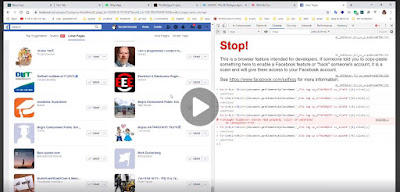
Console Coding [ Facebook ex: JS ]
ছবি
Auto Like with auto-scroll ready code document.getElementsByClassName("hasLeftCol _2yq")[0].onscroll = function() {     var unlikePosts = document.getElementsByClassName('_6rk2 img');     var unlikePosts_length = unlikePosts.length //     console.log(unlikePosts_length);     if(unlikePosts_length > 5){         document.getElementsByClassName('_6rk2 img')[0].click();         console.log("Liked");     } }; setInterval(function(){ //     console.log("Auto Scrolling.");     window.scrollBy(0,50);  }, 10) document . getElementsByClassName ( " hasLeftCol _2yq " )[ 0 ] . onscroll   =   function ()   {      var  unlikePosts  =  document . getElementsByClassName ( ' _6rk2 img ' ) ;      var  unlikePosts_length  =  u...

Learn React

ছবি
Setup React App: any one wants how to setup the reactJs 1. npm install create-react-app -g 2.create-react-app 'your-app-name' 3.cd 'your-app-name' 4.npm start Udemy-course: npm [ Node package manager ] install globally [ -g ] npm install create-react-app -g react project setup: [ --scripts-version 1.1.5 by that project structure will be known as old ] create-react-app react-complete-guide --scripts-version 1.1.5 ক্ষেত

Visual Code

ছবি
Visual Code Extension: Front-End Beautify Bracket Pair Colorizer Color Highlight Community Material Theme CSS Peek Material Icon Theme Material Theme Material Theme Prettier Now Indent-rainbow Back-End Live Server ES7 React/Redux/GraphQL/React-Native snippets Best for JS snippet ever World’s best shortcut for react Auto Rename Tag Js Code Spell Checker REST Client Turbo Console Log Version controlling GitLens — Git supercharged

Real time database || web socket || chat application

ছবি
Some Helpful Links : Tutorials: https://www.youtube.com/watch?v=H_4UubWE9NQ&t=193s Examples: https://github.com/hkp22/php-websocket-example Documentation: https://docs.beyondco.de/laravel-websockets/ Setup: #1 Steps: Install fresh Laravel laravel new blog setup .env file Setup: #2 (  Laravel WebSockets  ) Install Laravel WebSockets composer require beyondcode/laravel-websockets publish the migration files php artisan vendor:publish --provider = "BeyondCode\LaravelWebSockets\WebSocketsServiceProvider" --tag = "migrations" Run the migrations php artisan migrate  publish the WebSocket configuration file php artisan vendor:publish --provider = "BeyondCode\LaravelWebSockets\WebSocketsServiceProvider" --tag = "config" This is the default content of the config file that will be published as  config/websockets.php : 'apps' = > [ [ 'id' = ...

Angular

ছবি
Installation: install node JS and check it:      cmd => npm --version OR node -v install angular CLI:        npm install -g @angular/cli                                          [g- for global]        for mac:       sudo npm install -g @angular/cli      check angular cli after install: ng --version ng new projectName y css

Laravel multi auth

ছবি
make default auth  php artisan make:auth make amother model+migration  then extend that model by 'Authenticatable' and customize and set all things as like as default auth model.  Add to the migration, remember token column and others columns => migrate as wel   ======================================================================== ** Adding more guard for extra auth to use the extra auth as like as default auth: ** Config => auth.php code : go to   'providers' and make another scope like users . code : go to  'guards'   Make new guard like web [ default guard ] .  [FOR WEB ] Note: No need to change or add another API until you want to check auth by external API. Or we can just add another API guard for farther use. :P  [FOR API]   👌👌 Everything setup complete for multi auth. : JUST 1 thing should do more 👀😂  set up password reset ...